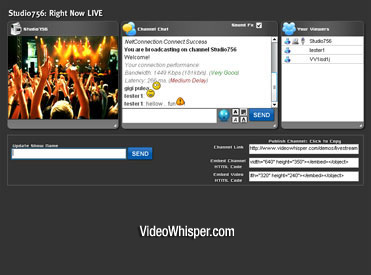
To test the video conference plugin just register an account on this website and click the video conference link from the right panel.
Video Conference, Video Chat and Instant File Sharing Plugin for WordPress
+ Read more about the Video Conference WordPress Plugin on the VideoWhisper website
+ Download the Free WordPress Video Conference Edition (requires registering a free account)
WordPress Integration
VideoWhisper.com setup a simple integration that uses the WordPress username to login existing users into the simple php only version of their video conference software – the edition easiest to customize and integrate with any website. If the user is not logged into WordPress a warning message is shown and the visitor can click that to get back to the main WordPress website for registration/login.
VideoWhisper also included a plugin that provides a linking widget. You can use that or directly add a link to “http://www.yoursite.com/videowhisper_conference/” .
Installation Instructions
1. Copy contents of com_videowhisper_conference\fms_applications in zip file to your applications folder in your fms installation folder. This step is not required if you use their video conference rental with hosting or managed rmtp hosting plans.
2. Copy the files from the zip file including folder structure to your public website location.
3. Fill the fms application path in videowhisper_conference/settings.php.
4. Enable the plugin and link widget or directly add the link to the videowhisper_conference folder.